Modern work is no longer confined to a single office or a single device. Teams collaborate across countries, meetings happen online, documents are edited simultaneously, and AI is becoming an everyday assistant. To keep everything connected, businesses need an integrated productivity platform rather than a collection of disconnected tools.
Google Workspace provides exactly that. It combines communication, collaboration, cloud storage, document creation, scheduling, and AI-powered assistance into one ecosystem. Whether you're a freelancer, startup founder, educator, or part of a large enterprise, understanding how these tools work together can significantly improve productivity.
In this guide, we'll explore the major Google Workspace apps—including Gmail, Google Meet, Google Chat, Google Calendar, Google Drive, Google Docs, Google Sheets, and Gemini—and show how they create a seamless digital workplace.
Google Workspace is Google's cloud-based productivity suite that helps individuals and organizations collaborate from anywhere. Instead of relying on separate software for email, meetings, file storage, spreadsheets, and communication, Workspace integrates everything into a single platform.
Key benefits include:
Let's explore each application.
Gmail serves as the communication hub of Google Workspace. Beyond sending emails, it helps users organize conversations, schedule messages, categorize inboxes, and integrate with other Workspace apps.
Best for:
Remote work depends on reliable virtual meetings. Google Meet provides secure, high-quality video conferencing directly within Workspace.
Meet integrates naturally with Google Calendar, making scheduling effortless.
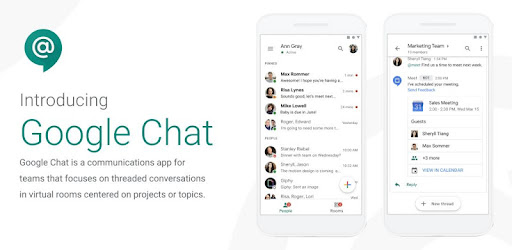
Google Chat replaces long email chains with organized conversations.
Instead of searching through dozens of emails, teams can create dedicated spaces for projects, departments, or clients.
Google Chat works especially well for agile teams that require continuous communication.
Google Calendar helps users manage schedules while coordinating meetings across teams.
Google Drive acts as the central storage system for all Workspace files.
Instead of emailing attachments repeatedly, users can simply share secure links.
Supported file types include:
Drive ensures everyone works on the latest version of every file.
Google Docs eliminates the need to send multiple document versions back and forth.
Multiple users can edit simultaneously while changes appear instantly.
Because every revision is automatically saved, there's no need to worry about losing work.
Google Sheets transforms traditional spreadsheets into collaborative workspaces.
Multiple teammates can update data simultaneously without creating conflicting versions.
Gemini is Google's AI assistant integrated throughout Workspace.
Instead of switching to external AI tools, users can leverage AI directly within Gmail, Docs, Sheets, Meet, and other Workspace applications.
Gemini significantly reduces repetitive work and allows employees to focus on higher-value tasks.
The real strength of Google Workspace lies in integration.
Imagine a typical workday:
Instead of switching between unrelated software platforms, everything remains connected.
To get the most from Google Workspace:
Google offers free versions of many individual apps for personal use, while Google Workspace provides paid plans with additional business features such as custom email domains, larger storage limits, enhanced security, and advanced administrative controls.
Yes. Google Docs, Sheets, and Slides support real-time collaboration, allowing multiple users to edit simultaneously while viewing each other's changes live.
Yes. Gmail, Docs, Sheets, and Drive support offline access when enabled, allowing users to continue working without an internet connection and sync changes later.
Google Workspace includes encryption, multi-factor authentication support, spam protection, advanced admin controls, and compliance features designed to protect business data.
Gemini acts as an AI assistant that can draft emails, generate and refine content, summarize meetings and documents, analyze spreadsheet data, and automate routine tasks across multiple Workspace applications.
Google Workspace is much more than a collection of productivity apps—it's a unified ecosystem designed to simplify communication, collaboration, and project management. From Gmail and Google Meet to Google Drive, Docs, Sheets, and the AI-powered capabilities of Gemini, every application works together to reduce friction and help teams accomplish more.
Whether you're managing a growing business, collaborating with remote colleagues, or organizing personal projects, mastering the Google Workspace ecosystem can streamline your workflow, improve teamwork, and free up more time for meaningful work. By embracing these interconnected tools and making AI a natural part of your daily routine, you'll be well equipped to work smarter, collaborate faster, and stay productive in today's digital-first workplace.